Currently Empty

The One Big Beautiful Bill (OBBB) introduced sweeping tax changes for individuals, employers, and businesses—and the real complexity began after passage, as IRS guidance, interpretations, and clarifications continued to evolve. Tax professionals are now fielding client questions on new deductions, reporting obligations, and planning opportunities, often with incomplete or misunderstood information.
This live webinar provides a clear, practical overview of the most impactful OBBB updates, focusing on how the rules are applied in real-world situations. Attendees will gain clarity on tips and overtime deductions, employer reporting responsibilities, Trump accounts, changes to charitable contributions, educator deductions, and key business provisions affecting “average” businesses. The session emphasizes compliance, planning, and risk awareness, helping professionals confidently advise clients under the new law.
OBBB represents one of the most significant shifts in individual and business tax rules in recent years, and many provisions require interpretation beyond the statutory language. Relying solely on summaries of the law can lead to missed planning opportunities—or costly compliance errors.
This live session is designed to help tax professionals stay ahead of IRS enforcement expectations, understand how new rules are being applied in practice, and gain confidence when responding to client questions. Attending live also allows you to clarify gray areas, confirm your understanding of IRS guidance, and avoid common pitfalls before they show up on filed returns.
Note: You will get access to the Recording link and E-Transcript; in your account and at your registered email address.
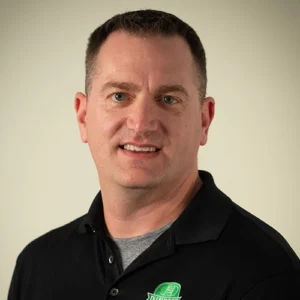 Jason Dinesen serves as the President of Dinesen Tax & Accounting, P.C., a reputable public accounting firm located in Indianola, Iowa. His professional expertise revolves around providing comprehensive accounting and bookkeeping services, offering adept tax preparation solutions, and delivering valuable business advice. Dinesen’s clientele spans from individuals operating home-based businesses to expansive multistate corporations and not-for-profit organizations.
The difference between the Recorded Course and the Download Course is how attendees can access the content:
Recorded Course: Attendees can watch the recorded live sessions online at their convenience. They receive a link after purchasing, giving them lifetime access to stream the course, but they need an internet connection to view it.
Download Course: In this option, attendees can both stream the webinar online and download it for offline viewing. This gives them the flexibility to watch without an internet connection whenever they prefer.
A live online course or webinar is a virtual conference held on the internet, attended by an online audience. It offers interactive features such as synchronized slides, Q&A sessions, chat, and polling.
The recorded training course captures live online sessions on related topics. Attendees can purchase it through our website, receiving a link to watch the recording at their convenience with lifetime access.
An E-Transcript is a written PDF file containing a word-to-word recording of the presentation.
Download Course allows users to download the webinar for offline viewing without an internet connection.
a) Online Registration:
After successful registration, attendees receive a confirmation email and instruction kit 1-2 days before the live online course.
b) Offline Registration: